Types of security controls, with real examples
The four categories and six types of security controls, with concrete examples from a typical mid-market operation — and the gaps assessors look for.
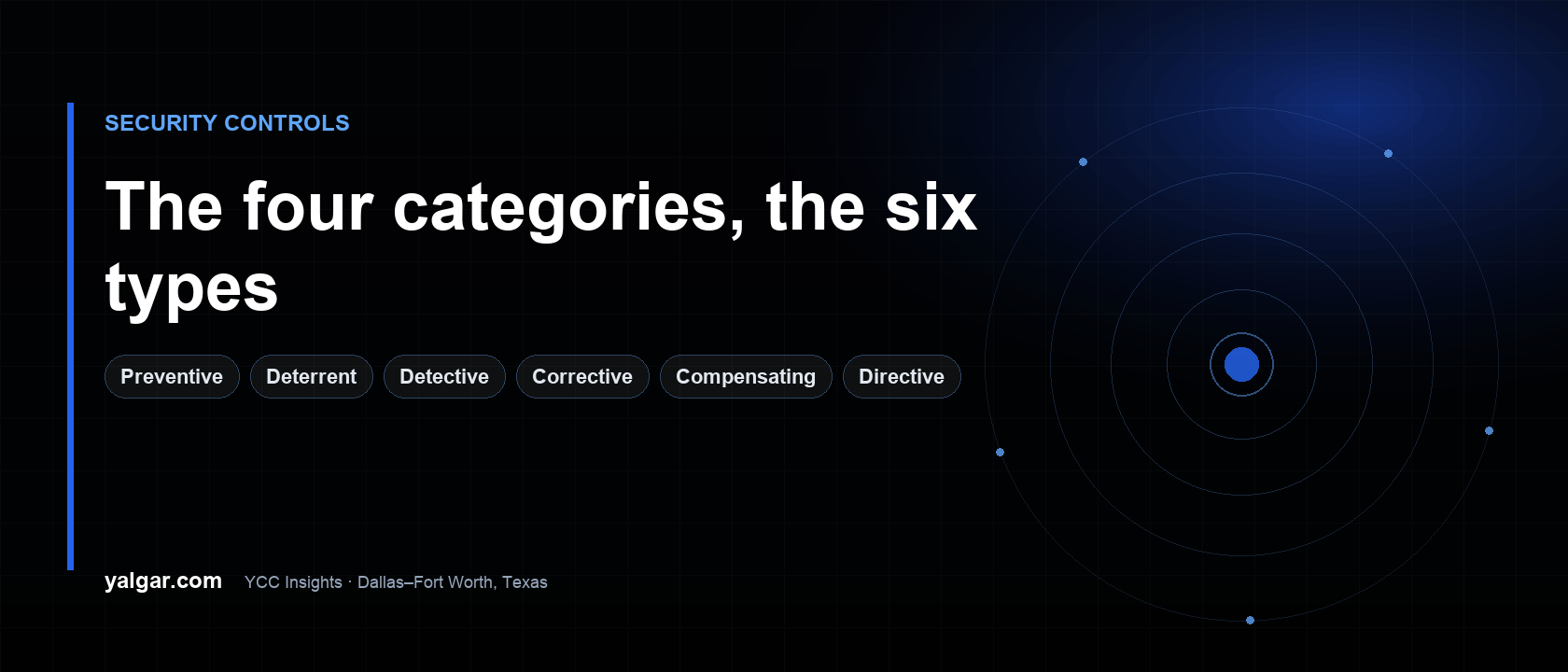
A security control is anything that reduces the chance or the impact of a security event. That includes a door lock, an onboarding checklist, a backup, and the person checking badges at the warehouse gate. Professionals describe every control in two dimensions: its category (technical, managerial, operational, or physical) and its type (preventive, deterrent, detective, corrective, compensating, or directive).
The two dimensions matter because they answer different questions. The category tells you who or what enforces it. The type tells you what job it does. A firewall and a locked door are both preventive; only one of them is technical. A camera and a smoke alarm are both detective; only one of them puts out a fire.
The four categories, in plain terms
Technical controls are enforced by technology. Multi-factor authentication, a firewall rule, disk encryption, a backup job, a login alert. The system does the work, with or without a person paying attention.
Managerial controls are decided and enforced by management. They are also called administrative controls — the two terms mean the same thing, and NIST uses both. An onboarding and offboarding checklist, a quarterly access review, a background check, a vendor risk policy, separation of duties in the finance team.
Operational controls are the daily procedures people actually perform. The guard checking a badge at the gate, the receptionist signing in a visitor, the night-shift lead locking the dock doors, the person who verifies the nightly backup finished.
Physical controls are things you can touch. Locks, badge readers, fences, bollards, the server-room door, a locked document bin, a fire extinguisher.
The useful distinction is failure mode. A managerial control fails quietly, because nobody enforces it. An operational control fails when the person doing it changes shift, leaves, or gets busy. A technical control fails on misconfiguration. A physical control fails when someone props the door open.
The six types, and what each one is for
| Type | What it does | Everyday analogy | How it fails |
|---|---|---|---|
| Preventive | Stops access before it happens | A deadbolt | The resident props the door open for a delivery |
| Deterrent | Discourages the attempt | A visible camera | Nobody ever reviews the footage |
| Detective | Notices and alerts when something happens | A smoke alarm | The alarm rings in an empty room |
| Corrective | Reduces impact after the event | A fire extinguisher | It was never checked or used in a drill |
| Compensating | Covers a gap when the primary control is unavailable | A chain lock while the deadbolt is being replaced | Nobody put a review date on it |
| Directive | Tells people what to do | An "Authorized personnel only" sign | Nobody was trained or held to it |
The smoke-alarm analogy is worth keeping. Many mid-market companies have plenty of locks and no working smoke alarm. They prevent reasonably well, detect badly, and correct on instinct.
The matrix: 24 combinations, with examples
This is the part most articles skip. The same job needs a different example in each category. On a phone, the table scrolls sideways.
| Type | Technical | Managerial (administrative) | Operational | Physical |
|---|---|---|---|---|
| Preventive | MFA on email; firewall blocks remote-desktop from the internet | Manager approves access before the account is created | Guard checks a badge at the warehouse gate | Badge reader on the server-room door |
| Deterrent | Login banner: "activity on this system is monitored" | Policy states that misuse is grounds for dismissal | Front desk is staffed and visible from the entrance | Warning sign plus cameras in plain sight |
| Detective | Alert fires on repeated failed logins | Quarterly access review catches accounts nobody removed | Night patrol checks that the dock doors are locked | Motion sensor triggers the alarm |
| Corrective | Restore from last night's tested backup | Incident plan names who calls the insurer and who authorizes payment | Staff call law enforcement and the carrier | Fire extinguisher and sprinkler in the server room |
| Compensating | Block the vulnerable service at the firewall because the legacy server cannot be patched | Two-person approval in a three-person finance team | Two people on the loading dock at night | Generator keeps cameras and badge readers powered during an outage |
| Directive | The app only lets staff save files to approved drives | Compliance policy signed at onboarding | Annual security training with a short test | "Authorized personnel only" sign at the dock |
Two things to notice. First, the matrix is a diagnostic: if a column is thin, that category is weak. Second, several rows describe the same risk from different angles — which is exactly the point.
What this looks like in one real week
Take an illustrative company: a 120-person building-products distributor in Grand Prairie with a warehouse, 60 office staff, and a customer ordering portal. Nothing below is a claim about a client; it is the shape of a typical mid-market operation.
Monday morning. Dana badges into the office (physical preventive). The visitor logging in at the front desk is signed in and escorted (operational preventive). Dana signs in with a password and a phone prompt (technical preventive). Accounts for a new hire were created from a checklist that names the approver (managerial preventive). The login page carries a monitoring banner (technical deterrent) and the lobby has a camera in view (physical deterrent).
Tuesday night. A failed-login burst hits the portal, and an alert reaches the IT lead's phone (technical detective). The shift lead walks the dock doors as part of closing (operational detective). Friday's access review removes two accounts from people who left in September (managerial detective). The motion sensor in the server room trips at 2am (physical detective).
Thursday incident. A phishing link is clicked. The incident plan says who contains the mailbox, who calls the insurer, and who approves the spend (managerial corrective). IT restores the affected files from Wednesday's backup (technical corrective). The building's fire system has an extinguisher and a test date (physical corrective). Law enforcement is called when the insurer says so (operational corrective).
Ongoing gap. A reporting server cannot be patched because the vendor no longer supports the version. The team blocks its inbound traffic at the firewall, segments it from the rest of the network, and reviews its logs monthly — a compensating control with a named owner and a review date. Next to it, the file-storage rule lives in the app itself (technical directive), and the training module people complete each year is operational directive.
No single control in that week is impressive. Together they interlock. That is what "defense in depth" means in practice, and it is the reason a single tool cannot fix a security program.
Compensating controls need a paper trail
A compensating control is the alternative you use when the primary control is unavailable: a legacy system that cannot enforce MFA, a vendor that will not support a setting, a cost the business will not carry this year.
Auditors and insurers treat an undocumented compensating control as a gap. Write down five things:
- The gap. Which primary control is missing, and why.
- The alternative. What you did instead, specifically.
- Residual risk. What exposure remains after the alternative.
- The owner. One named person.
- The review date. A compensating control that never expires becomes permanent.
A worked example: a legacy ERP cannot do single sign-on. The compensating set is network segmentation for that server, privileged-access logging, a quarterly review of who can reach it, and a written decision to replace the system within 18 months. That is an audit-ready answer; "the vendor said no" is not.
Deterrent versus directive: the sign everyone gets wrong
The same sign can be either type, and the difference is the sentence.
- "Authorized personnel only" is directive. It tells people what the rule is.
- "Premises monitored — violators will be prosecuted" is deterrent. It warns about consequences.
A directive without training is decoration. A deterrent with no detection behind it is theatre: a camera nobody reviews does not discourage anyone who knows the business. If you use deterrence, make sure the detection is real.
How assessors actually check controls
A control is not a document. Evidence is: a screenshot of the setting, a log line with a timestamp, a ticket showing the approval, a photo of the badge reader, a signed policy with a version date, a training completion report.
This is where a NIST CSF-aligned assessment earns its keep. The framework functions map cleanly onto the types above:
- Protect is mostly preventive: technical, managerial, and physical.
- Detect is detective. If you cannot show an alert, a review, or a log check, this function is usually the weakest.
- Respond and Recover are corrective: the incident plan, the backups, the communication path.
- Identify is managerial: the asset list, the risk register, the owner for each system.
A common mid-market pattern is solid technical prevention, weak managerial enforcement, and almost no detective evidence. It has locks on the doors and no smoke alarm.
Five mistakes worth avoiding
- Buying detection before fixing prevention. A monitoring tool on an unpatched, internet-exposed server is an expensive way to watch the problem.
- Writing directives nobody signs or trains on. A policy with no acknowledgment and no training is not a control; it is a document.
- Compensating controls with no expiry. Every alternative needs an owner and a review date.
- Detective controls with no responder. An alert that goes to a shared mailbox is not detection.
- Treating a vendor's attestation as your control. Your vendor's SOC 2 report says their controls work. It says nothing about your access, your data, or your response.
FAQ
What are the four categories of security controls? Technical, managerial (also called administrative), operational, and physical. Category describes who or what enforces the control.
What are the six types of security controls? Preventive, deterrent, detective, corrective, compensating, and directive. Type describes the job the control does.
What is a compensating control? An alternative safeguard used when the primary control is unavailable, such as segmentation and logging for a legacy system that cannot enforce MFA. It must be documented with the gap, the residual risk, an owner, and a review date.
Do we need all 24 combinations? No. Controls should follow risk. A small manufacturer with one customer portal does not need the same set as a hospital. The matrix is a diagnostic for coverage, not a checklist to complete.
If you want to know which controls you actually have evidence for, start with a security assessment that maps them to NIST CSF and leaves a prioritized plan your team can run: security assessments. If an audit or customer questionnaire is the deadline, see compliance and audit readiness and the SOC 2 readiness checklist. For the framework structure itself, read the NIST CSF guide for mid-market companies.
The same control logic applies to AI. An AI tool is not exempt from prevention, detection, or direction: a written acceptable-use policy is directive, a vendor review is managerial preventive, and logging what staff paste into a chatbot is detective. If AI adoption is the live question, start with AI security and governance and the AI acceptable-use policy guide.